Full TextBack lessons in English: how missed call text back works, how to set up missed call text back step by step, and how SMS messaging for small businesses turns the calls you can't answer into booked jobs.
 ▶3:50
The first TextBack lesson: what TextBack is, who it's built for, the full stack that's included, what it costs, and how to use this tutorial library to get set up.
Series 1 — Introduction · 3:50
 ▶5:15
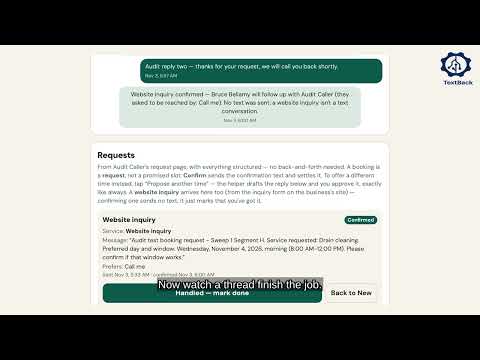
The whole TextBack path, link by link, on a real demo business: your number stays yours, the text-back message a caller receives — reply 1 to book, 2 for a free quote, 3 for a callback — two-way conversations in one Inbox, and how bookings, quotes, follow-ups, and review requests complete the chain.
Series 1 — Introduction · 5:15
 ▶4:50
Why the calls you can't answer cost you customers: the attributed 28–48% of home-service calls going unanswered, what those callers do next, and how to size the loss in your own numbers.
Series 1 — Introduction · 4:50
 ▶4:36
Which screen answers which question: Today gathers everything that needs you across all your businesses into one morning list, the Report proves the week in plain figures, and the business home holds one business's facts and its setup checklist.
Series 1 — Introduction · 4:36
 ▶5:20
Create your TextBack account from start to finish: all six sign-up steps in order, exactly what to type at each one, what each step costs, and where you can safely pause and finish later.
Series 2 — Account Setup · 5:20
 ▶4:15
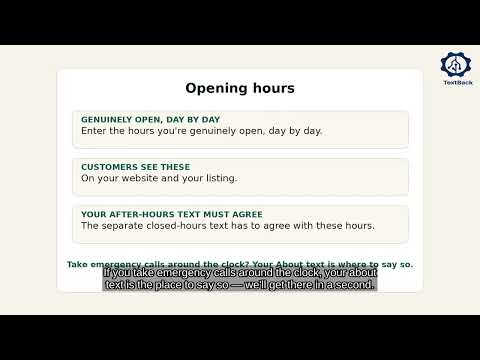
Your TextBack business details completed field by field — name, trade, business number, city, average job value, opening hours, website, address and about text — what each field is used for, and how to save it so it sticks.
Series 2 — Account Setup · 4:15
 ▶6:32
Write and save every automatic message your callers can receive — the missed-call text, the after-hours text, booking and quote confirmations, the second-chance follow-up, quote chasing and the review ask — plus the full Spanish message set, and the two save buttons that keep your work from getting lost.
Series 2 — Account Setup · 6:32
 ▶4:34
The three follow-up tools, and which fits which moment: the automatic second-chance text for a caller who goes quiet, Send follow-up now from inside a conversation, and the follow-up date that resurfaces a customer on your Today list on exactly the right day.
Series 3 — Customer Communication · 4:34
 ▶5:03
How emergency escalation works link by link: every text and website inquiry scanned for your emergency phrases, a match flagged Emergency and pinned to the top of your inbox, an owner alert that quiet hours never delay — then fired for real on the demo business.
Series 4 — Capturing Business · 5:03
 ▶5:13
Your screens stay in English while Spanish-speaking customers are served in Spanish completely — the detected conversation, the Spanish text-back, follow-ups, bookings and review requests, the Spanish template set and quick options, and the per-conversation language switch.
Series 5 — Additional Features · 5:13
 ▶4:34
How to get Google reviews by text: set the review ask up once — your Google review link, the timing after a job finishes, the request in your own words — then watch a finished job schedule its own request, and see the customer's side: one text, one tap.
Series 5 — Additional Features · 4:34
 ▶4:28
Every way TextBack can reach you when a customer needs you: the Needs-you list on Today, the alert messages written into the conversation itself, alert emails, your owner alert channel — and quiet hours that hold routine messages until morning but never delay an emergency alert.
Series 5 — Additional Features · 4:28
 ▶6:01
Build and manage the free website that comes with your TextBack account: the draft-first editor, your design and sections in your own words, photos, every page's search title and description, your free national directory listing, publishing — and proof-checking the live site on desktop and phone.
Series 5 — Additional Features · 6:01
 ▶5:41
A scripted morning at a demonstration plumbing business, run through the real TextBack product: a possible burst pipe answered by text in seconds and a second caller handled alongside, then the booking, the follow-up and the review — every part labeled as the demonstration it is.
Series 6 — Real-World Demonstrations · 5:41
 ▶4:47
An HVAC scenario taught step by step on labeled demonstration cards and the real public HVAC page: a fictional business and customers, cooling-season urgency, the text-back that goes out in seconds, the triage question, and the visit the caller books from her own request page.
Series 6 — Real-World Demonstrations · 4:47
 ▶4:52
A scripted storm morning at a fictional roofing business, taught on labeled demonstration cards: an active leak described in words, a second caller shopping for a full replacement handled by text, the urgent job sorted first, and the review after the storm — all labeled as the demonstration it is.
Series 6 — Real-World Demonstrations · 4:52
 ▶5:04
One scripted morning at a fictional electrical business, taught on labeled demonstration cards and the real public electricians page: two unequal missed calls — a tripping breaker that can wait in writing and a sparking outlet that cannot — sorted by what matters, with the ordinary job booked by text.
Series 6 — Real-World Demonstrations · 5:04
 ▶4:28
Follow one working day on a covered business: three short checks replace a day of phone interruptions while TextBack answers every missed call in between.
Series 6 — Real-World Demonstrations · 4:28
 ▶5:47
The five leaks that turn a missed call into a lost job — silence, the dead end, the scatter, the fade, the slow quote — and the patch TextBack puts on each one.
Series 6 — Real-World Demonstrations · 5:47
 ▶5:44
The honest calculation, run skeptically with labeled hypotheticals: your average job value, your missed-call count, the attributed 28–48% research range — against the real $49/month founding price.
Series 6 — Real-World Demonstrations · 5:44